Window management for Windows
Swoosh helps you stop dragging windows around and stay in flow. Hover a titlebar, swipe on your Precision Touchpad, and your window lands exactly where you want it.



Dragging, resizing, and hunting through open apps breaks focus. Swoosh gives you a faster path: one gesture to put the right window in the right place.
Skip the tiny titlebar grabs, edge dragging, and repeated resize adjustments.
Use natural touchpad gestures, or the mouse HUD when you are not on a touchpad.
Arrange, switch, and move windows without losing your train of thought.
Swoosh is designed to feel obvious the first time you use it.
Install the signed Windows build, or run the portable version.
Point at the window you want to arrange. Swoosh stays out of the way until then.
Snap, maximize, resize, or move the window across desktops and monitors.
Two fingers on your touchpad, or a held mouse button with the optional HUD, and the window goes where you aim. These are the live animations from the in-app tutorial.
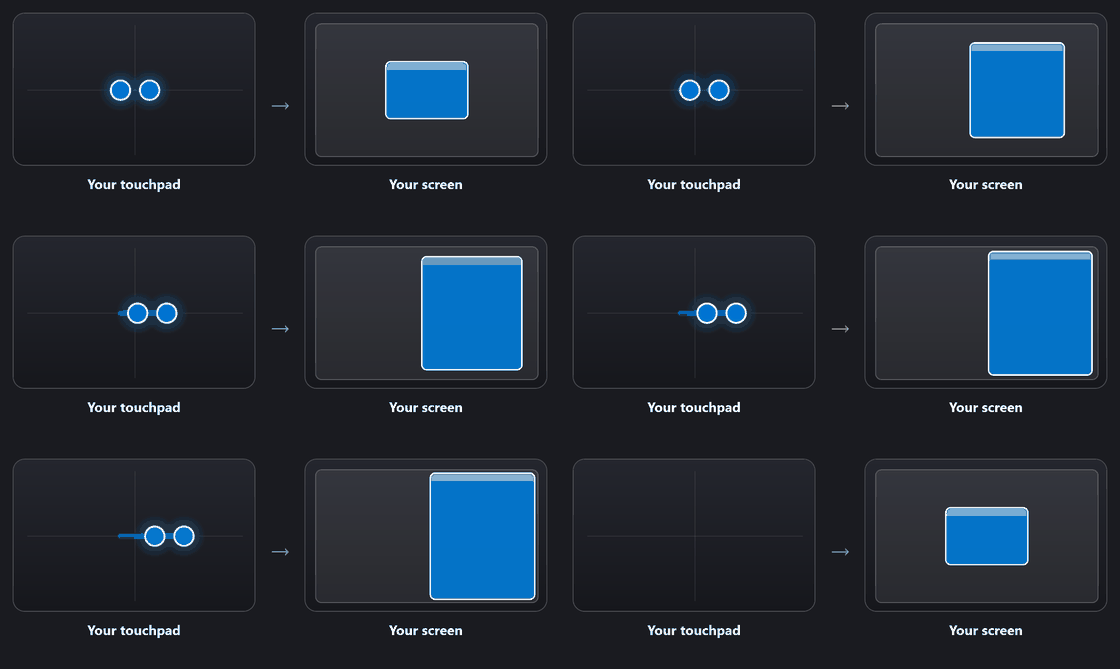
Swipe left or right.
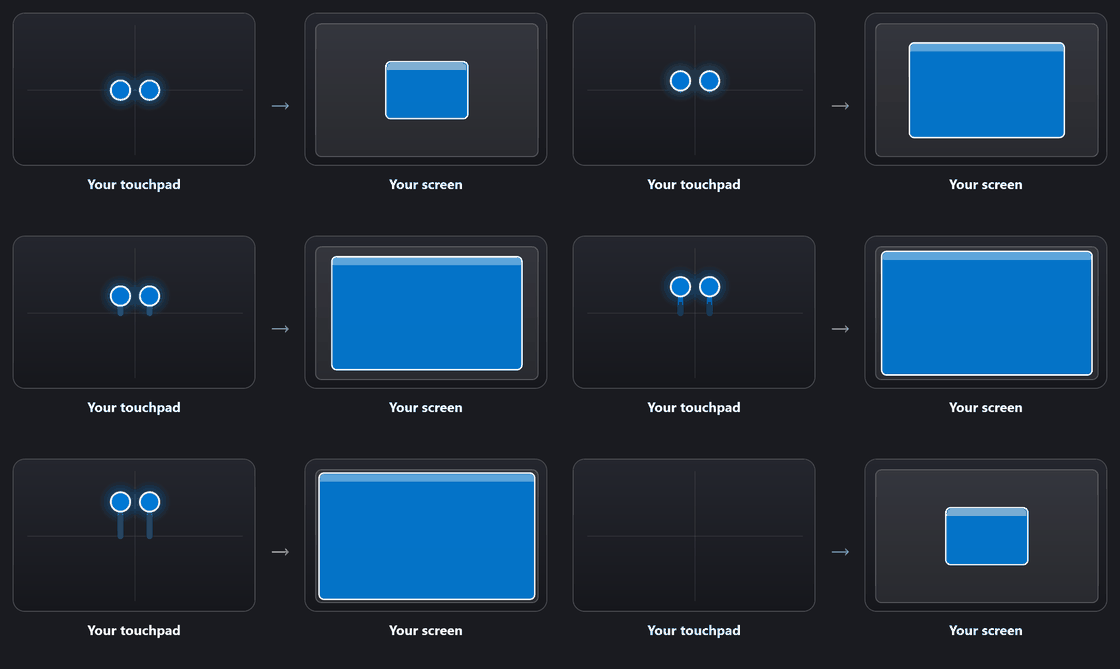
Swipe up. Swipe down to minimize.
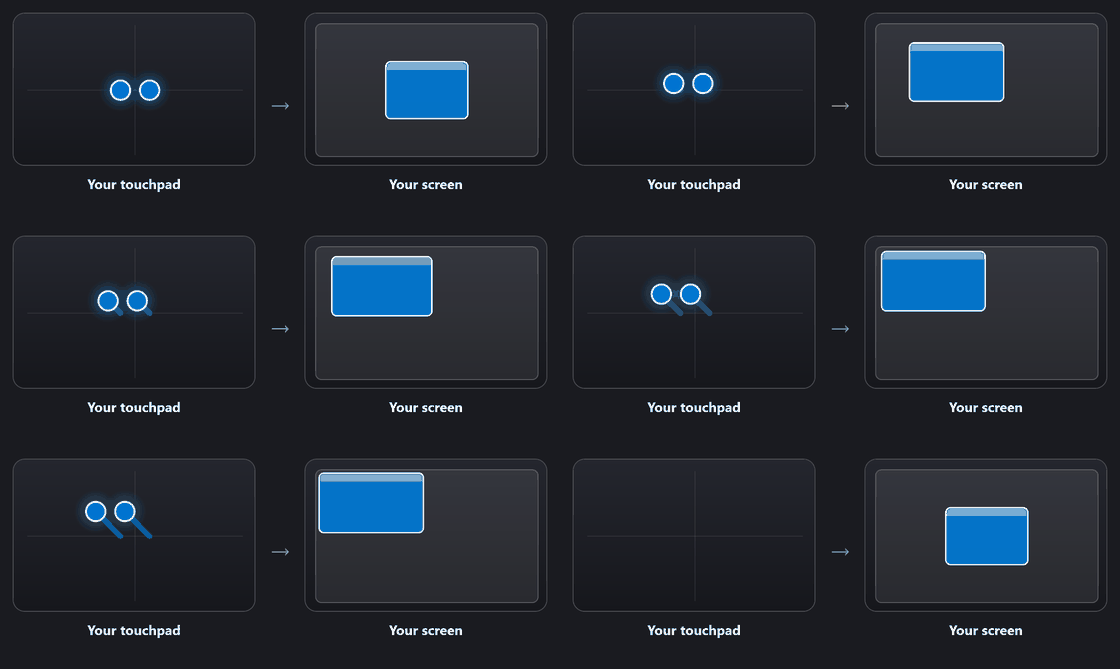
Swipe diagonally.

Swipe down. Pick "Let me choose" to lean toward minimize or the red close button.
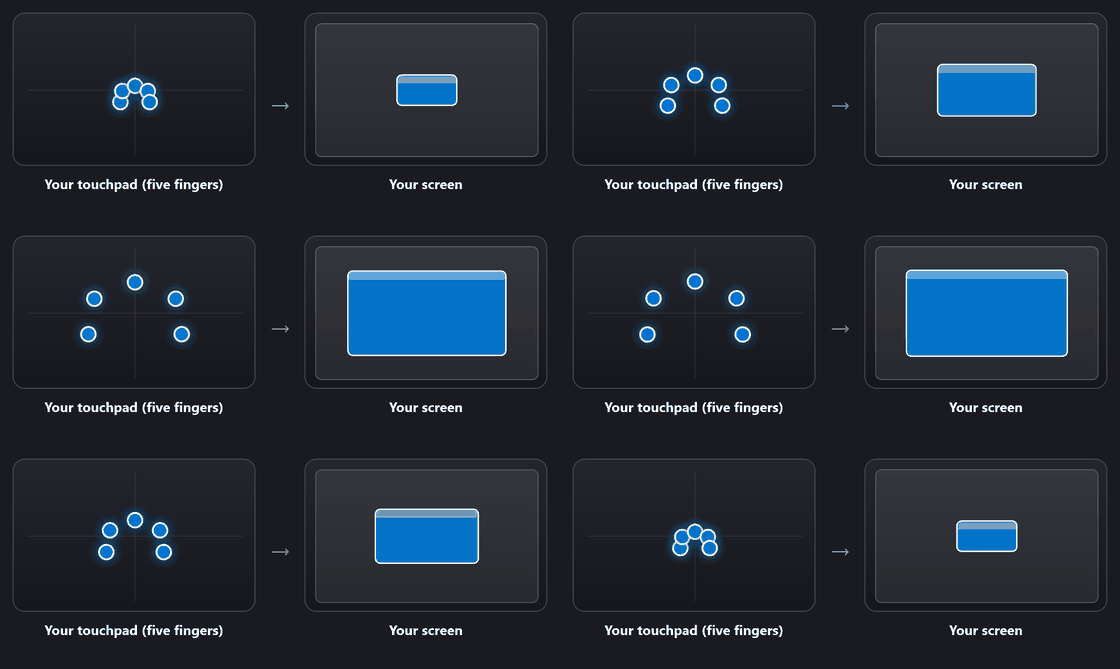
Spread five fingers to grow, pinch to shrink.
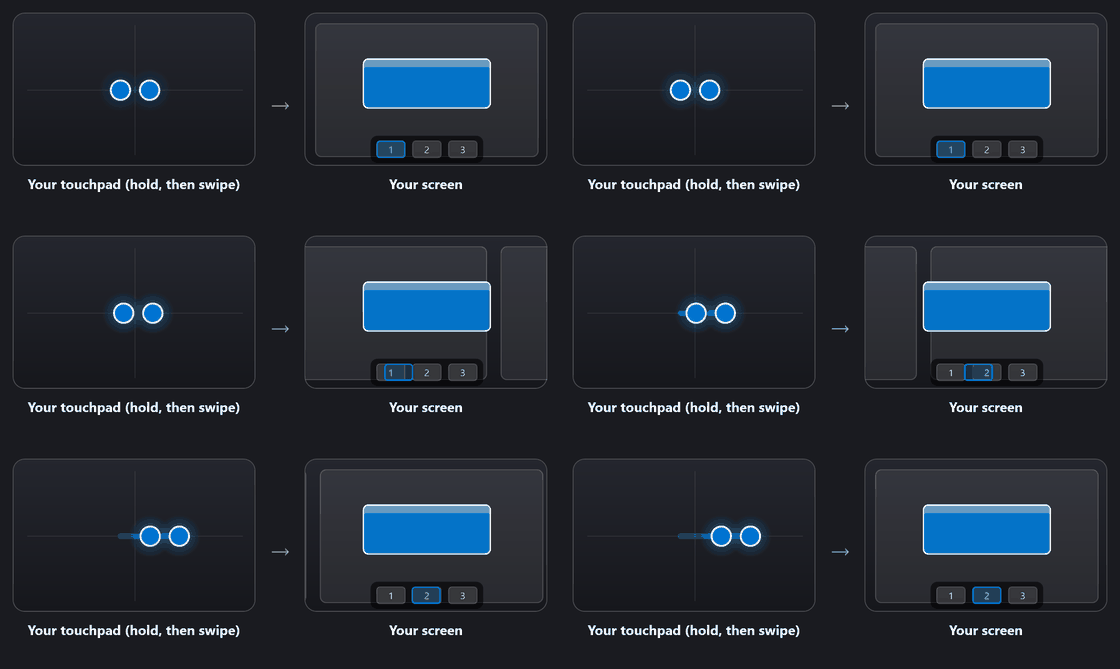
Hold two fingers, then swipe to move a window to another virtual desktop or monitor.
Fast, native, and quietly out of the way until you need it.
Reads multi-finger contacts straight from the Precision Touchpad for precise, low-latency gestures.
A preview shows where the window will land as you swipe. Lift to drop, or press Esc to cancel.
Hold Shift while swiping to snap into a 3x3 grid of thirds for tidy layouts.
Move windows across virtual desktops and physical displays with a hold and a swipe.
No touchpad? Hold the middle mouse button over a titlebar, aim in the HUD, and release to snap or move the window.
Optionally turn the hold-and-swipe into an app switcher: flip through your open apps in the HUD and drop the one you pick into the held window's place.
Search installed or running apps with icons and choose where Swoosh should stay out of the way, or require a modifier before gestures arm.
Pick the highlight color, HUD theme and size, and tune sensitivity in a clean settings app.
Code-signed builds with checksums and signed build provenance. No telemetry. Open source.
No .NET needed. The runtime is bundled. Everything is code signed.
Recommended. Installs to Program Files, adds a Start Menu shortcut, can start with Windows, and updates itself.
No install. Unzip and run Swoosh.exe. Great for trying it out or running from a USB drive.
Download Swoosh and turn everyday window management into a quick, natural gesture.
Download Swoosh Swoosh